


Construction Master 5 Calc
4.7526.00 Reviews
App Specs
- Version
- 10.20.18
- Updated On
- License
- Free
- Downloads
- 100,000+
- Developer
- Calculated Industries
- Categories
- Tools
- Platform
- Android
Screenshots
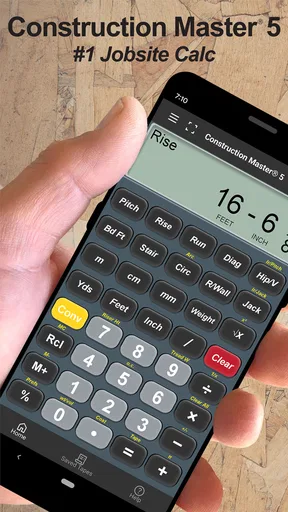
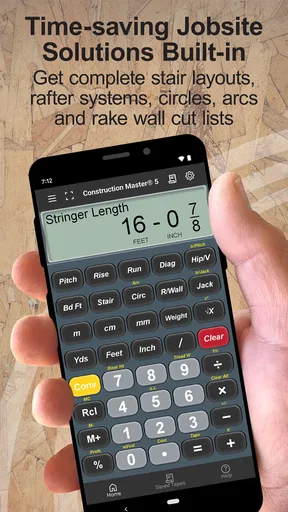
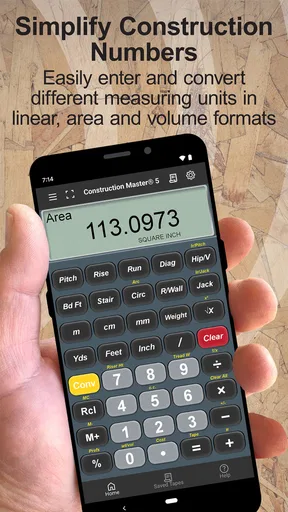
 Analysis by AppCompare
When a building calculation has to be right the first time, a normal phone calculator quickly becomes awkward. Fractions, feet and inches, material quantities, and angle-related work do not fit comfortably into a row of decimal buttons. I tested Construction Master 5 Calc with that kind of practical problem in mind, and my impression is clear: this is a specialist tool for people who regularly work with construction measurements, not a general calculator wearing a trade-themed label.
The app is developed by Calculated Industries and belongs in the Tools category. It is free to install, rated for Everyone, and the Android listing shows a 4.7 average from around 3.5 thousand ratings. That combination makes it easy to try without committing money upfront, although in-app purchases range from $0.49 to $34.99 per item. I would treat the free entry as a chance to check whether its construction-focused workflow matches the way you already measure and estimate.
How I decided whether it was worth using
My first decision criterion was not the number of buttons. It was whether the calculator could reduce the small conversion mistakes that happen when switching between feet, inches, fractions, decimals, and ordinary arithmetic. A standard calculator can handle the mathematics, but it makes the user translate the measurement system before and after every operation. That extra mental step is exactly where a rushed estimate can go wrong.
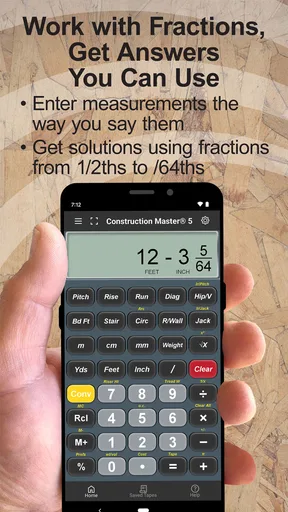
The second criterion was speed in a real setting. On a worksite, I do not want to stop and write every dimension in a notebook, convert it later, and then recheck the result with another tool. A useful construction calculator should let me enter measurements in the form I naturally hear or read them, keep the units visible, and make a result understandable before I move on to the next task.
I also looked at whether the app makes sense for different levels of experience. A professional estimator may appreciate a dedicated layout immediately, while a homeowner planning one renovation may find the same specialization intimidating. That distinction matters here because the app is not trying to be a universal pocket calculator. Its value depends on how often construction measurements are part of your day.
Finally, I considered the cost of changing habits. If you already use a physical construction calculator, a spreadsheet, or a general calculator with a conversion app beside it, switching only makes sense if the phone workflow is quicker and less error-prone. The best tool is not necessarily the one with the longest feature list; it is the one that fits the way you record dimensions, check quantities, and communicate results.
The first five minutes tell you a lot
My advice is to begin with a measurement you already know rather than exploring every option at once. Enter a simple length, repeat it as a multiplication, and then try a fractional value. This gives you a feel for the display, the keypad, and the way the app handles construction-style input without turning your first session into a tutorial project.
Worth Reading Before You Choose

EA SPORTS FC Mobile 26 Is a Bigger Football Game, but It Takes Time

Flipboard Shows What News Apps Must Do Beyond the Feed

Switching to Android Auto Means Rethinking Your Driving Routine

Google Calendar Makes a Crowded Week Easier to Manage

Ludo King Makes the Most of the Minutes Between Plans

Baby Panda World Brings Quick Play to Modern Phones, but Its Game Library Feels Busy
After that, I would repeat a calculation from a recent job or household task and compare the result with your usual method. This is more useful than testing random numbers because it reveals whether the app saves actual time. If you normally reach for a pencil to convert dimensions before using a phone calculator, the difference should be noticeable almost immediately.
One practical habit improved my confidence: I separated entry from checking. I entered the dimensions first, paused to read the displayed result, and only then continued with the next operation. A dedicated calculator can make a workflow faster, but it cannot protect against typing the wrong dimension. The app reduces conversion friction; it does not replace a sensible measurement routine.
Where the construction-focused design wins
The strongest part of Construction Master 5 Calc is its focus. Instead of forcing construction work into a general-purpose decimal interface, it is built around the kinds of values that appear in building projects. That makes it particularly useful when a result needs to remain in a familiar trade format rather than being translated into a decimal that someone else may misread.
I found this most valuable when working through several connected measurements. With a standard calculator, I tend to convert each value, perform the operation, and convert the answer back. That process is manageable for one calculation, but irritating when estimating a run, checking a cut list, or comparing dimensions. A purpose-built workflow keeps the calculation closer to the language of the job.
Another advantage is mental continuity. When I read a plan or a tape measure, I am already thinking in construction units. Keeping that context inside the calculator means I do not have to switch between “job language” and “calculator language” every few seconds. That may sound minor, but it is precisely the kind of small improvement that becomes useful over a full afternoon.
The app also works well as a second opinion. Even when I have done a calculation by hand or in a spreadsheet, entering the same problem into a dedicated construction calculator gives me a quick independent check. I would not use any calculator as the sole safeguard for a critical structural decision, but for everyday arithmetic and measurement verification, the extra check is convenient.
A realistic everyday scenario
Imagine measuring a room before ordering trim. You have several wall lengths, a doorway to subtract, and dimensions recorded in mixed fractional values. With a normal calculator, you may first convert everything to decimals, calculate the total, and then convert the result into a form that makes sense when buying or cutting material. That is a lot of handling for a task that should be simple.
With this app, I would enter each measurement in the format used during the survey, combine the lengths, subtract the opening, and keep the result in the same construction context. I would still add a sensible allowance for waste separately because a calculator cannot know the condition of the walls, the cutting pattern, or the length of stock available. The benefit is not that it makes the estimate automatically; it makes the arithmetic portion cleaner.
The same approach applies to a small deck layout, a flooring estimate, or checking whether several pieces can be arranged within a measured run. In each case, the app is most helpful before purchasing materials, when a quick calculation can expose an incorrect assumption. It is less useful if you only need to split a restaurant bill or calculate a percentage, where the ordinary calculator already does the job with less visual overhead.
Useful habits that are easy to overlook
One non-obvious strength is that I can use the calculator as a translation layer between people. A client may describe a dimension one way, a plan may show it another way, and a supplier may expect a familiar construction format. Rather than rewriting every value on paper, I can use the app to keep the conversation anchored to a consistent result before placing an order or explaining a change.
A second useful workflow is to calculate in stages instead of trying to build one enormous expression. For example, I would total each wall or section separately, check those subtotals, and then combine them. This takes a little discipline, but it makes errors easier to locate. If the final number looks wrong, I can inspect one section rather than reconstructing an entire chain of entries.
A third insight is that the app is valuable for checking assumptions, not just producing answers. If a result seems unexpectedly large, I can test the same dimensions in a different order or calculate a smaller portion first. That helps distinguish a genuine measurement issue from a typing mistake. The dedicated interface encourages me to think about units before I accept the number, which is something a bare decimal calculator does not always prompt.
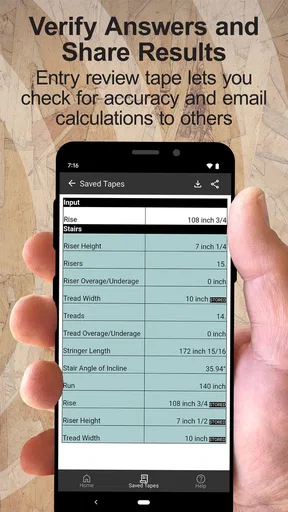
I would also keep a written record of important inputs. Phone calculators are excellent for quick work, but a result without its dimensions is difficult to audit later. For a quote, a renovation plan, or a shared job, I would note the measurements and the purpose of the calculation beside the final figure. The app supports the calculation; it is not a project-management record.
What may slow you down
The same specialization that makes the app powerful can make it feel excessive for casual users. If you are accustomed to a simple four-function keypad, a construction-oriented layout may require a short adjustment period. The buttons and concepts are meaningful when you need them, but they are not necessarily the fastest route for basic arithmetic.
There is also a learning curve around entering values consistently. The app can reduce conversion work, but the user still needs to understand what has been entered and what the result represents. Someone who rarely works with architectural or trade measurements may initially spend more time checking the display than they would with a familiar calculator. I would not call that a flaw, but it is an important trade-off.
Because it is an app, the experience also depends on the phone. A small screen, gloves, bright sunlight, or a cluttered work area can make precise tapping less comfortable than using a dedicated physical calculator. If your work regularly happens in rough conditions, a phone-based tool may be best as a backup rather than your only calculator.
Another limitation is scope. This is not a substitute for a complete estimating package, a drawing application, or engineering software. It can help with the arithmetic behind a project, but it does not turn measurements into a full material order, validate a design, or make decisions about building safety. I would be cautious about treating a correct calculation as proof that the underlying plan is correct.
When another category of tool fits better
A general calculator is the better choice for quick everyday math. If your needs are mostly percentages, taxes, tips, budget totals, or school exercises, the construction interface may add more buttons than value. In that situation, the usual phone calculator is simpler, faster to open, and easier for everyone else in the household to understand.
A spreadsheet is more suitable when the calculation is part of a larger estimate. If you need rows for materials, labor, waste, supplier notes, and revisions, a spreadsheet gives you a record that can be edited and shared. I would use Construction Master 5 Calc to verify measurement arithmetic inside that process, not necessarily to replace the whole estimate.
Drawing and planning apps have a different advantage. They can help visualize a room, place dimensions on a plan, or organize a project spatially. This calculator is better at answering “what does this measurement produce?” than “where should this element go?” For a renovation involving many rooms or changing layouts, a planning tool may deserve the central role.
A physical construction calculator may still win for frequent professional use. It avoids battery concerns, keeps the tool separate from calls and notifications, and can be easier to operate by touch when the phone is not convenient. The app is attractive if you want to carry one less device and already keep your phone close, but convenience will vary with the environment.
Free access and the cost of switching
Since the app is free to install, trying it is relatively easy. I would not judge it from a single glance at the keypad; I would test it with three real calculations from my own work. One should involve a fractional measurement, one should combine several dimensions, and one should be a result I already know. That trial tells you more than a generic feature comparison.
The presence of in-app purchases means I would pay attention to which parts of the experience are available before spending anything. The listed purchase range runs from $0.49 to $34.99 per item, so the possible commitment is much wider than a small optional add-on. I would first confirm that the free version fits my routine and that any paid step addresses a problem I actually have.
Switching from a physical calculator has a practical cost beyond money. You need to learn the keypad, develop confidence in the input method, and decide how you will preserve important results. Switching from a spreadsheet has a different cost: you may lose the surrounding notes and itemized context if you move only the arithmetic into the app. In both cases, I would start by using it alongside the old method for a few jobs rather than abandoning the established workflow immediately.
The app has been available since Aug 8, 2011, and the current version is 10.20.18. It requires Android 12 or later, so compatibility should be checked before planning to use it on an older phone. For supported devices, its long availability and current version suggest a tool intended to remain useful over time, but I would still keep another way to calculate critical figures when a phone update, low battery, or device problem could interrupt the work.
Who should use it and who should skip it
I recommend it most strongly to builders, remodelers, carpenters, installers, estimators, and serious DIY users who repeatedly handle feet, inches, and fractional measurements. It is also a good fit for someone who often checks dimensions away from a desk and wants a dedicated construction workflow without carrying a separate calculator.
It can be worthwhile for a homeowner with one demanding project, especially if the project includes many measurements and repeated additions or subtractions. I would not install it merely because a renovation sounds complicated; I would install it when the measurement system itself is causing confusion or repeated manual conversions.
I would skip it if you only need ordinary arithmetic, if you dislike learning specialized interfaces, or if your main requirement is a complete project record. I would also avoid relying on it alone for decisions that require professional design judgment, code interpretation, structural review, or precise site verification. The app can make the numbers easier to handle, but it cannot take responsibility for the project.
The age rating is Everyone, which matches the straightforward nature of the tool. Its audience is defined less by age than by the type of work being done. A teenager learning basic construction measurements could use it, while an experienced professional may still prefer a physical device depending on the site and their established habits.
My recommendation after using it
Construction Master 5 Calc earns my recommendation as a focused measurement calculator rather than as an all-purpose productivity app. Its real advantage is the way it keeps construction arithmetic close to the units and thought process used on a job. That can remove a surprising amount of friction from repeated estimates and checks.
I would start with the free version, test it against familiar calculations, and decide based on speed and confidence rather than the number of available buttons. If it helps you stop converting measurements by hand, catches mistakes before materials are ordered, and feels comfortable on your phone, it is a sensible addition to your toolkit.
If your work is mostly budgeting, drawing, documentation, or simple arithmetic, another category of tool will probably serve you better. For the right user, though, Construction Master 5 Calc is more than a themed calculator: it is a practical bridge between the measurements in front of you and the arithmetic needed to act on them.
My final advice is to use it deliberately. Enter dimensions carefully, check unusual results, keep notes for important calculations, and treat the app as a precision aid rather than a replacement for measurement skill. Used that way, Construction Master 5 Calc can make everyday building calculations faster without pretending to solve the parts of construction that require human judgment.
Pros
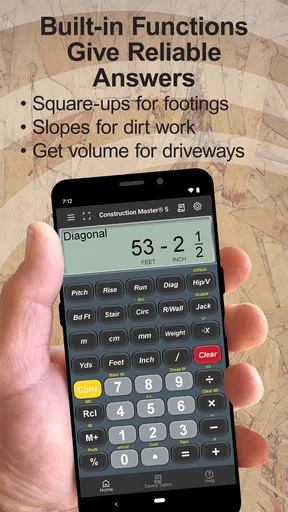
- Supports advanced construction and engineering calculations.
- Includes angle
- slope
- area
- volume
- and dimensional conversions.
- Works offline
- making it useful on job sites without internet.
- Clear keypad layout helps reduce input errors during calculations.
- Stores calculator results for quick reference during projects.
Cons
- The interface looks dated compared with modern calculator apps.
- Some specialized functions may require time to learn.
- It is designed for professionals
- so casual users may find it excessive.
- Limited visual guidance can make unfamiliar calculations confusing.
- The app may feel expensive compared with basic free calculator tools.
FAQs for Construction Master 5 Calc
What is Construction Master 5 Calc used for?
Construction Master 5 Calc is a specialized calculator for construction, carpentry, remodeling, and other trade-related work. It helps with tasks such as feet-and-inch calculations, area and volume estimates, right-triangle solutions, stair layout, roof framing, material quantities, and dimensional conversions. It is designed to reduce manual calculations when working with architectural measurements and job-site formulas.
Is Construction Master 5 Calc suitable for beginners?
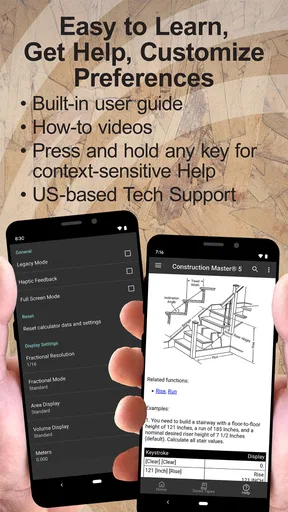
Yes, beginners can use Construction Master 5 Calc, but it is not a basic calculator and may require some time to learn. The app includes construction-specific functions that are most useful when you understand common terms such as rise, run, pitch, rafter length, board feet, and square footage. New users should review the built-in instructions and practice with sample measurements before relying on it for real projects.
Can the app calculate stairs, roofs, and right triangles?
The app is built to handle several common construction calculations, including stair layouts, roof and rafter measurements, and right-triangle problems. Depending on the selected function, you can enter known dimensions and obtain missing values such as diagonal lengths, angles, rise, run, or pitch. Results should still be checked against local building codes, project plans, and professional measurements.
Does Construction Master 5 Calc work with feet, inches, fractions, and metric units?
Construction Master 5 Calc is intended for practical dimensional work and supports construction-style measurements, including feet, inches, and fractional inches. It also provides conversion features for working between different measurement formats and may be useful when a project combines imperial and metric specifications. Before starting a calculation, confirm the selected unit mode so that the displayed result matches your plans.
Is Construction Master 5 Calc free, and does it require an internet connection?
Availability, pricing, and included features can vary depending on whether you download the Android or iOS version and which edition is offered in the relevant app store. Check the current store listing for the exact cost, purchase conditions, and any in-app options before downloading. The core calculations are generally designed for on-device use, although internet access may be needed for installation, updates, or store verification.


